Record completed work and track your earnings
By LUXNOUS · Magyar · Deutsch · Español
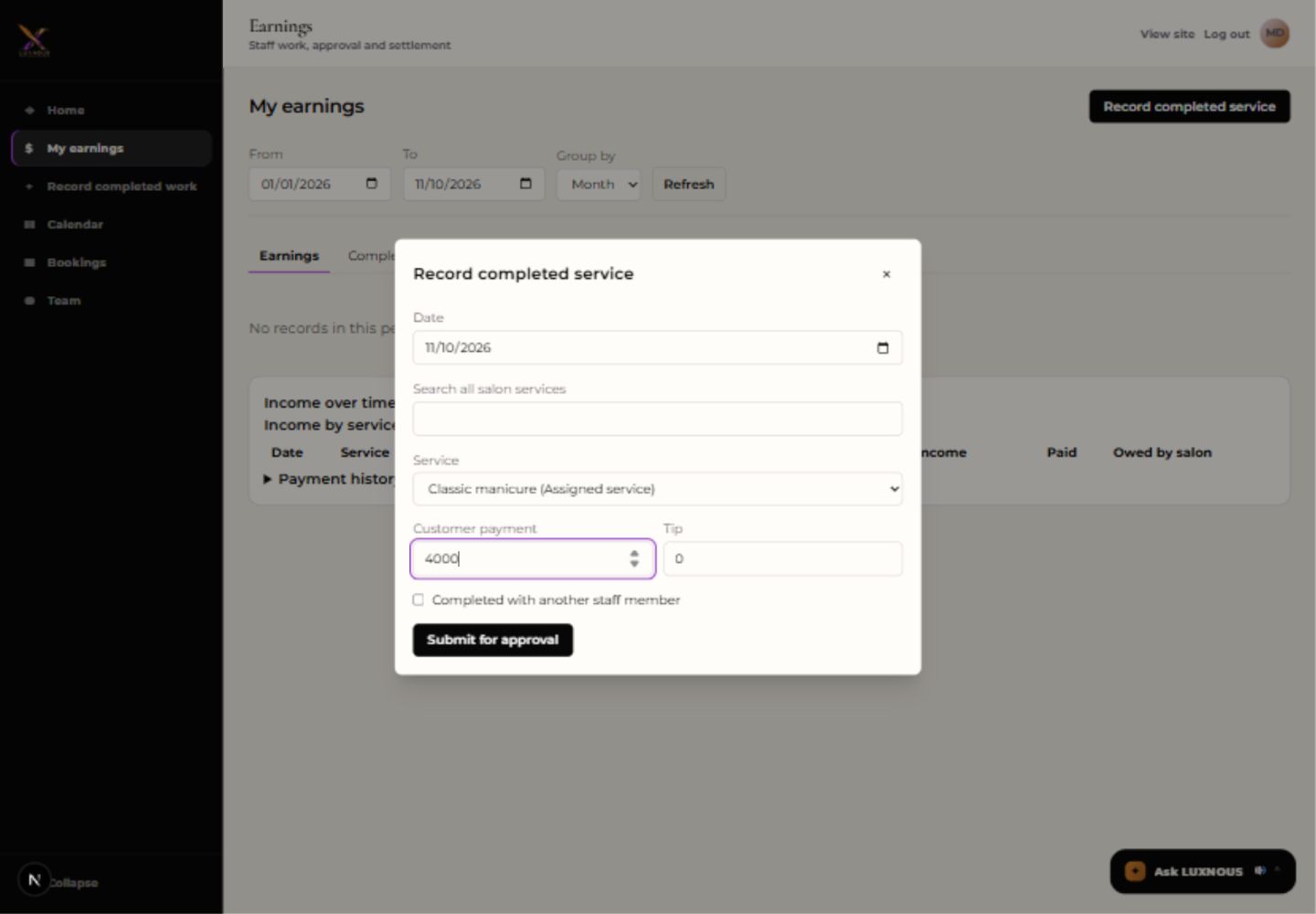
Workflow 10: use My earnings in your linked staff account after performing a service. These English screenshots were captured on 10–11 November 2026 in an isolated demo. Mina and the figures are fictional. The example records a service dated 10 November, HUF 4,000 received from the customer, no tip and a 50% sample commission. No money was transferred. Translations were prepared with AI assistance.
1. Open My earnings
Sign in with your staff account. Open My earnings in the sidebar, then choose Record completed service. You can also use Record completed work in the sidebar.
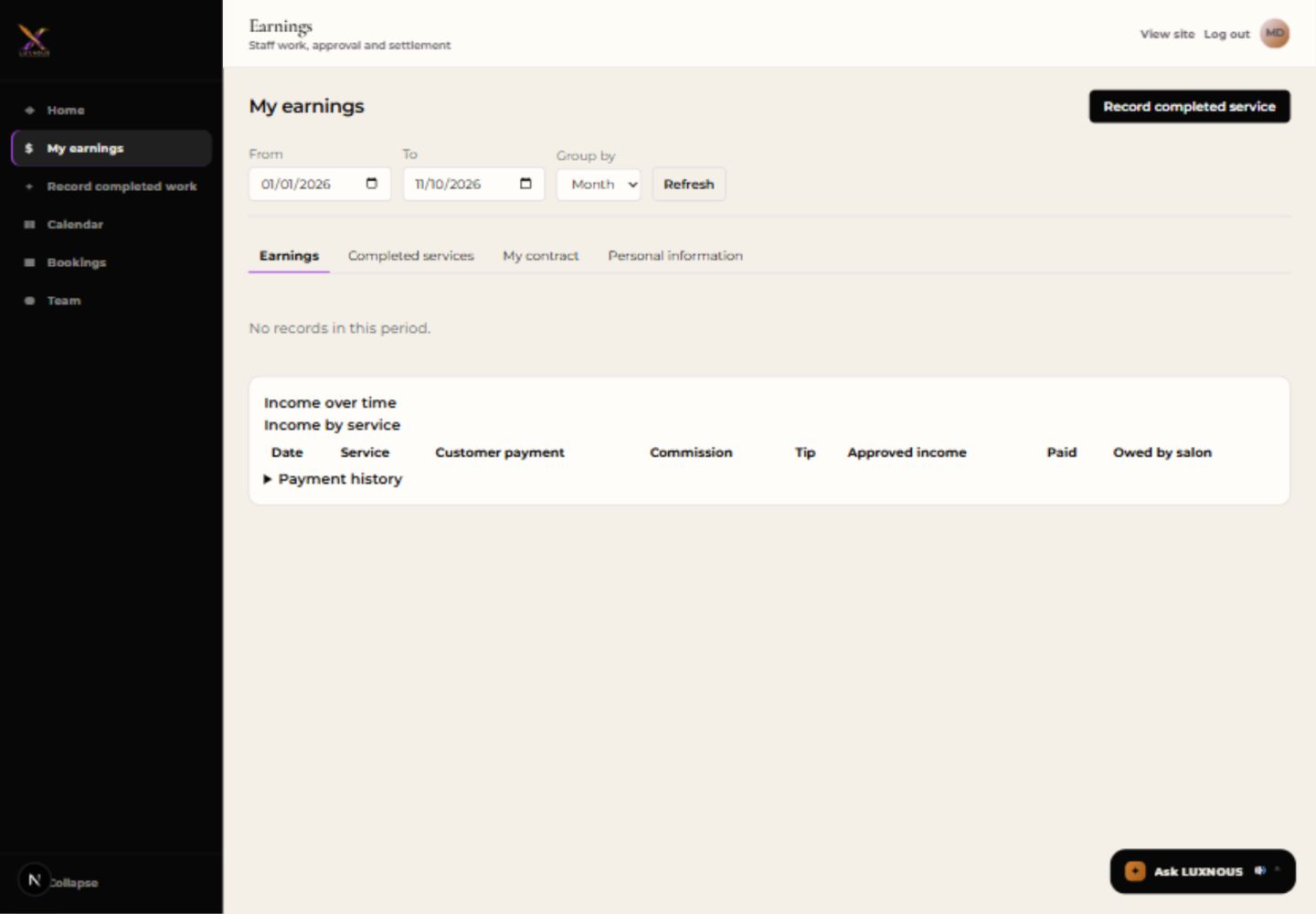
2. Enter the completed service
Choose the actual service date and the service. Enter the customer payment and the tip separately. If you worked with another staff member, select the shared-work option and choose that person. Review the details, then select Submit for approval.
3. Check Waiting for approval
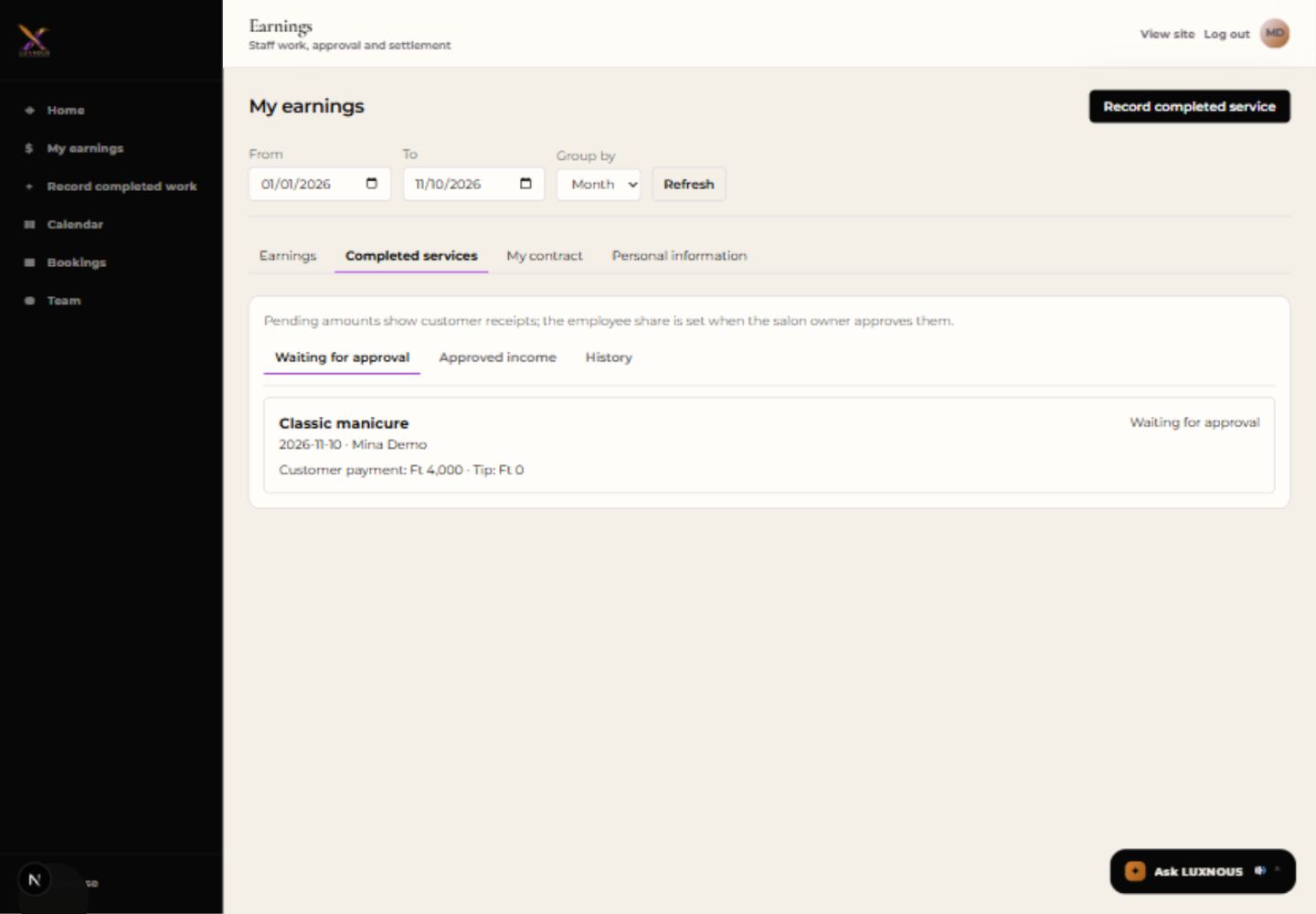
In Completed services, open Waiting for approval. Make sure the date and amounts match your submission. The customer payment shown here is the reported receipt; the employee share is set at approval.
4. Check the owner’s decision
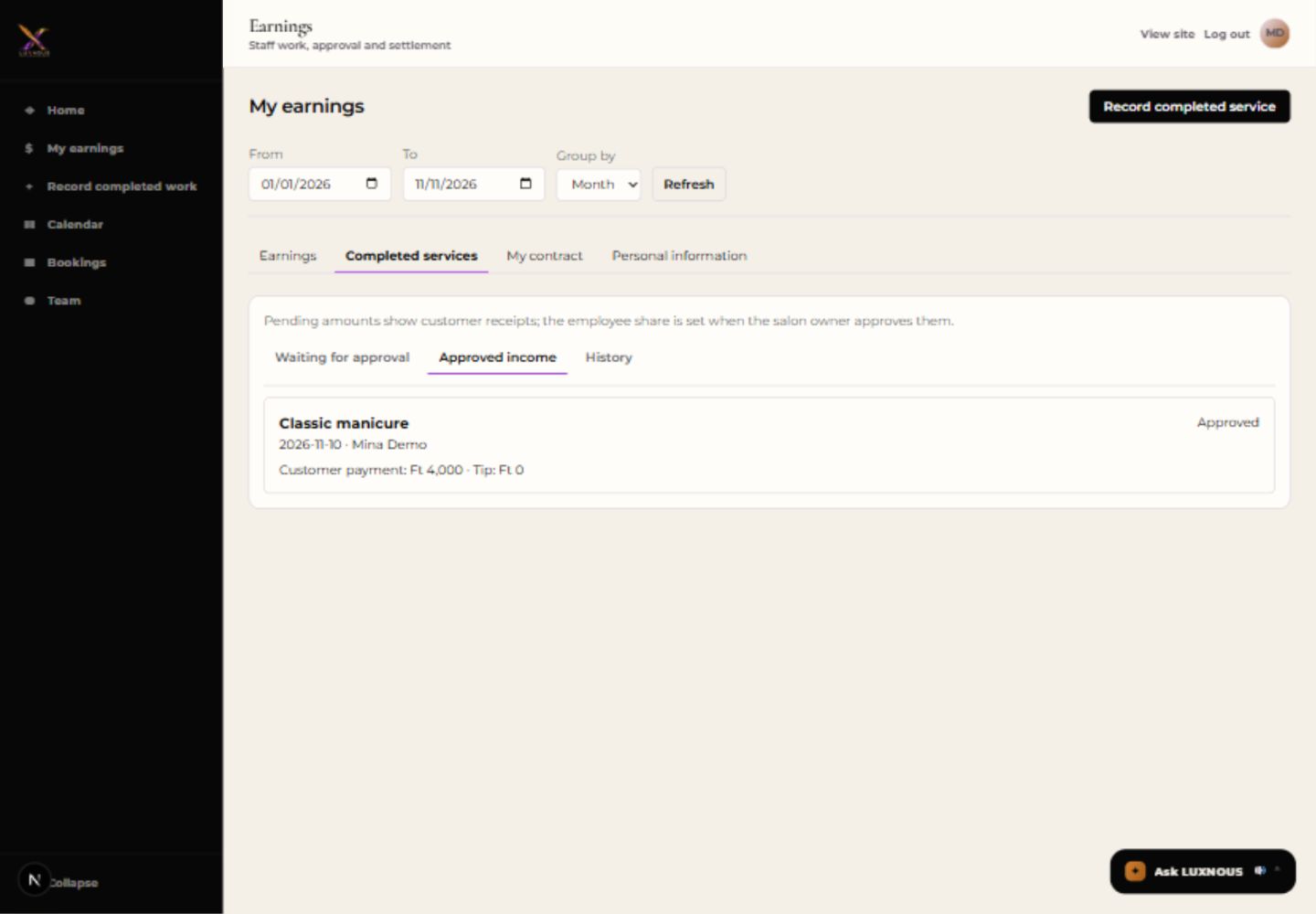
After the salon owner reviews the submission, select Approved income under Completed services to find the approved work. Use History to see reviewed entries, including rejections. If a row is missing, check the date range and select Refresh. The example was approved separately by the demo owner.
5. Read your earnings and balance
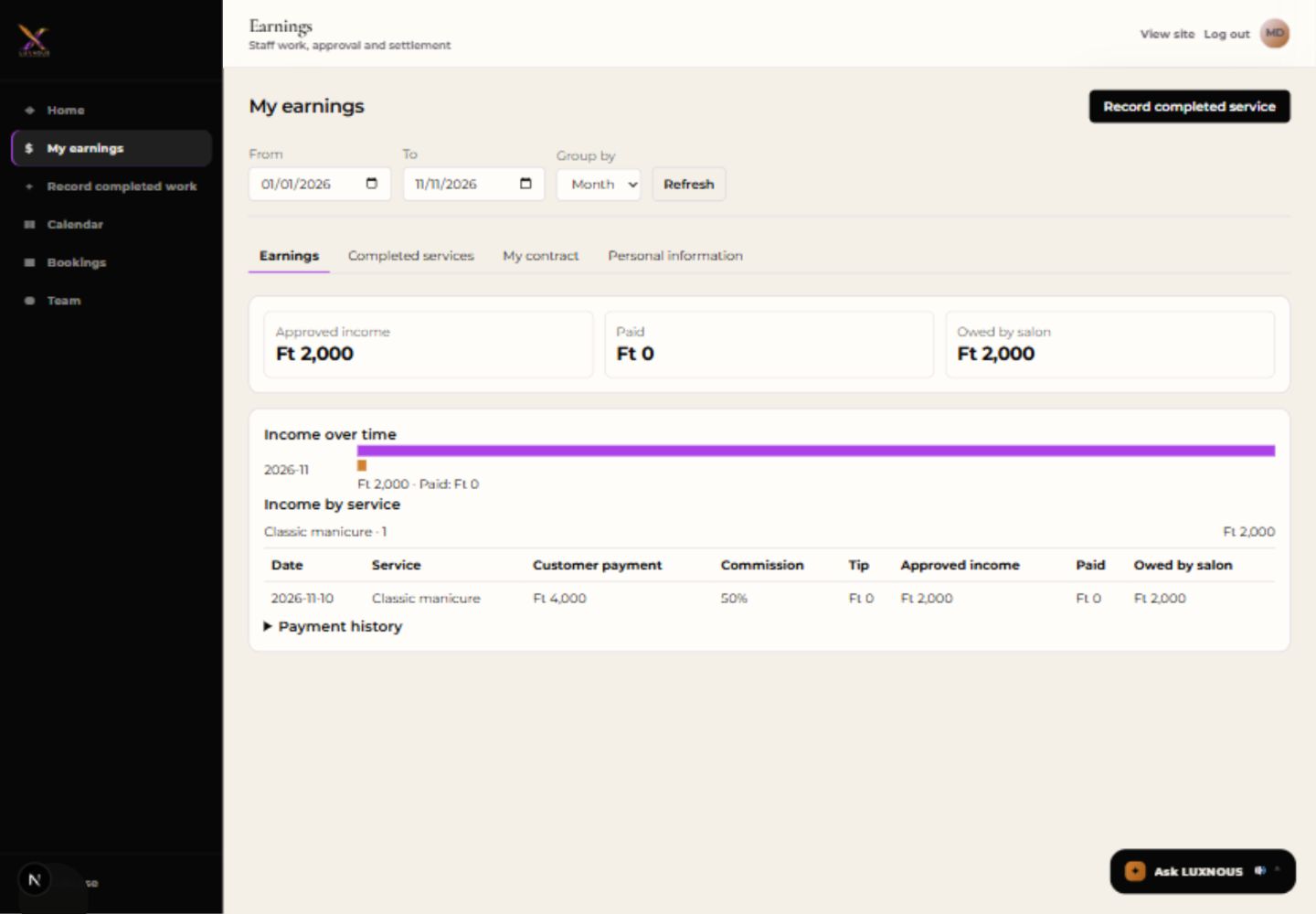
Open Earnings. Compare Approved income, Paid and Owed by salon. In this example HUF 4,000 × 50% produces HUF 2,000 approved income. With no recorded payment, Paid is HUF 0 and the full HUF 2,000 remains outstanding.
Questions about completed work and earnings
Who approves completed work?
Staff submit work through their linked accounts and view their own records. The salon owner reviews submissions. Approval uses the configured contract and applicable allocation; a submission is not yet approved income.
What is the difference between customer payment and my earnings?
Customer payment is the reported service receipt. Enter tips separately. Approved earnings depend on the contract and approved share, so they can differ from what the customer paid.
How do I record work with a colleague?
Select the shared-work option and name the colleague when submitting. The owner reviews shared work individually and allocates the reported service amount and tip across the people who performed it.
Does approval or recording a payment transfer money?
No. Approval records earnings, and recorded payments update the balance. The salon handles any actual payment separately. Paid and Owed by salon show what has been recorded.