Leave a review for a professional: five desktop steps
By LUXNOUS · Magyar · Deutsch · Español
Workflow 8: share feedback about a professional in LUXNOUS. These internal staff reviews are separate from Google reviews. Sign in to your customer account before starting; the example begins with an existing signed-in customer.
Actual English-language product screenshots captured on 10 November 2026 in an isolated training environment. Mina, LUXNOUS Demo Studio and the four-star review are fictional. The sample comment explicitly says no real visit took place. The rating illustrates the controls; choose a rating that reflects your own experience. Translations were prepared with AI assistance.
1. Open the professional’s page
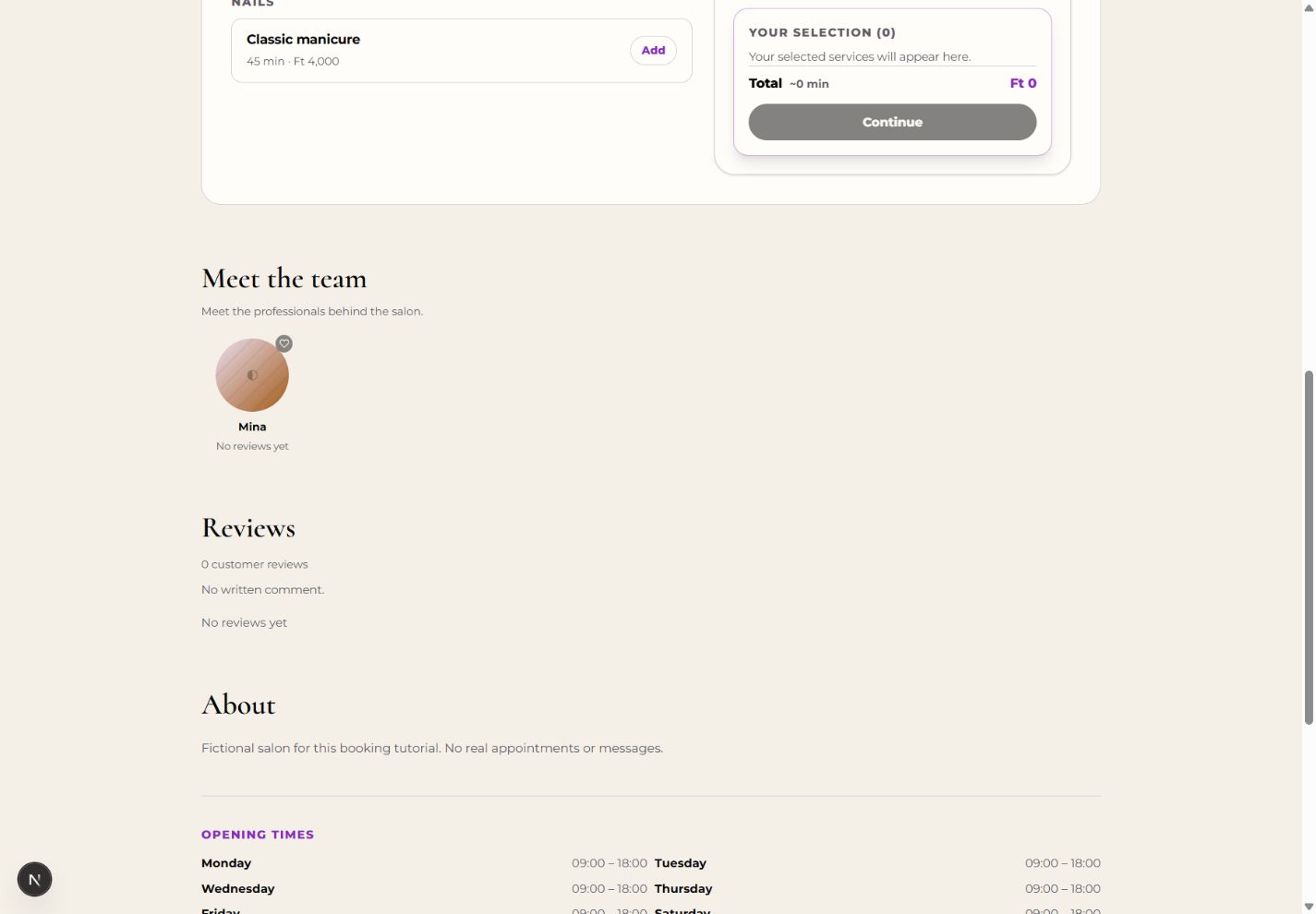
Open the salon page and find Meet the team. Select the name or photo of the professional you want to review. The example uses Mina.
2. Find the review form
On the professional’s page, find Reviews for Mina. If you are not signed in, complete the sign-in prompt first. Your customer account is separate from a salon owner or staff login.
3. Choose a rating and optional comment
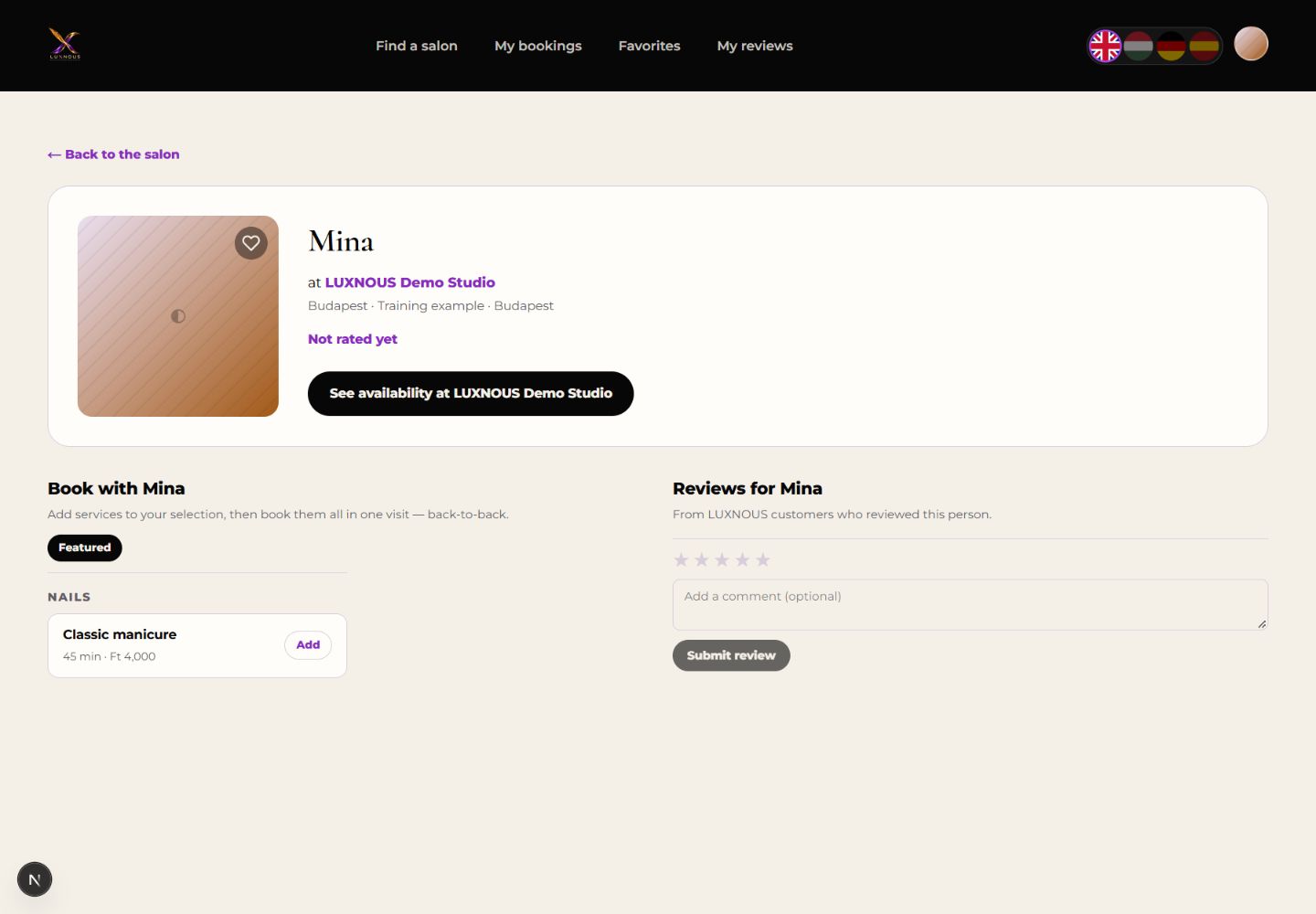
Select one to five stars. Add an honest comment if you wish, up to 2,000 characters. Check the professional’s name before sending. The four stars and training text shown here are only an example.
4. Submit and check the confirmation
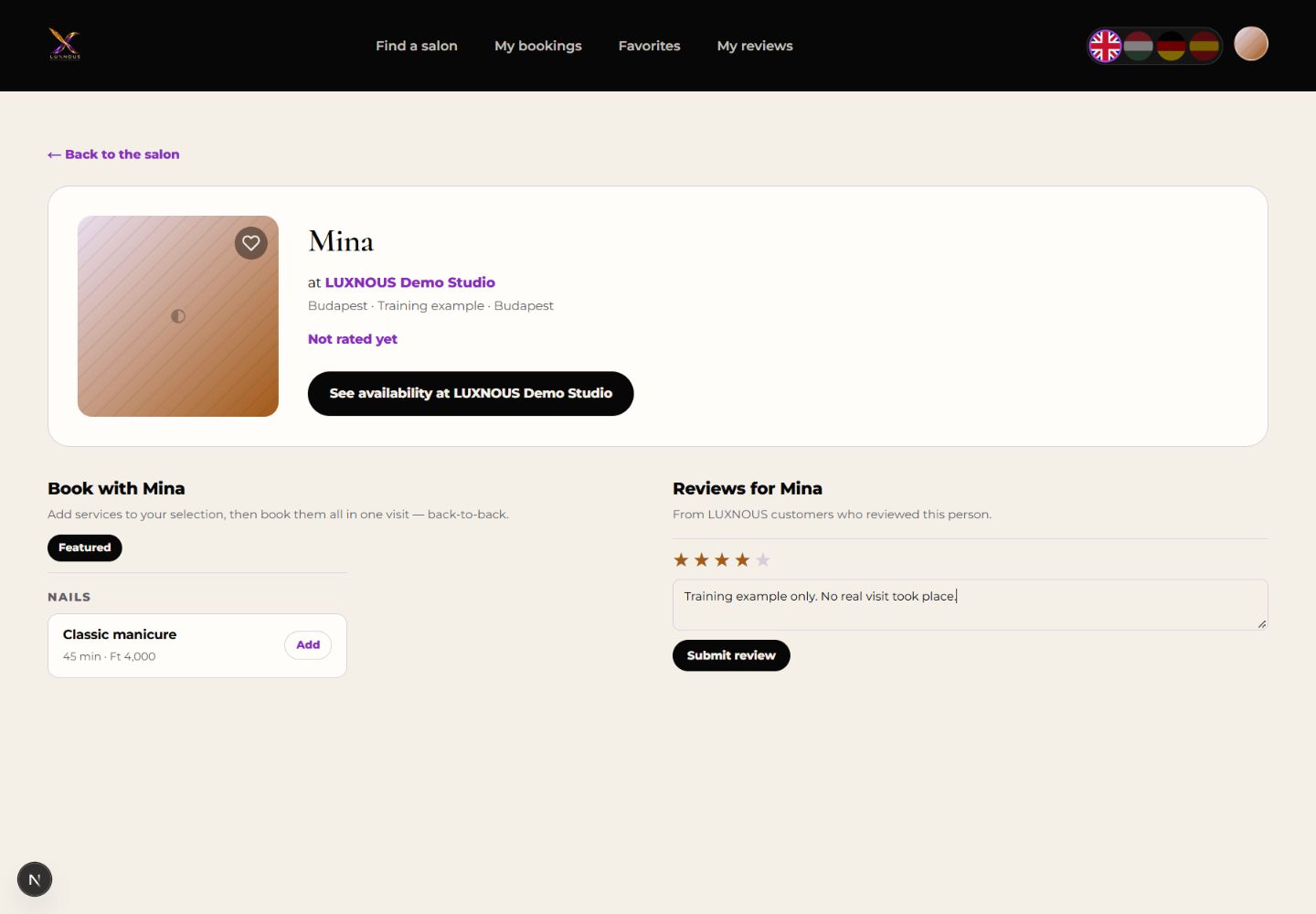
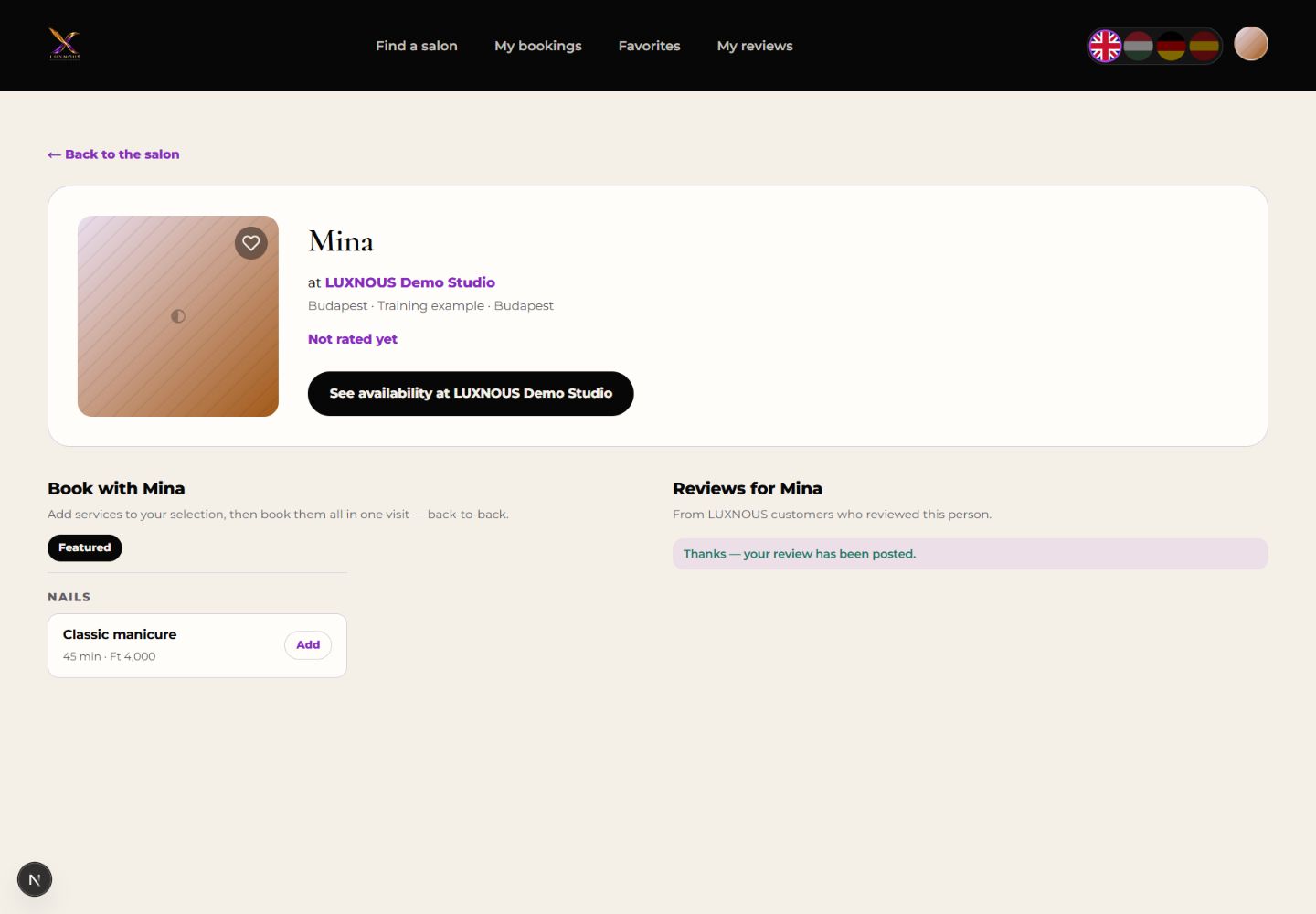
Select Submit review once. Wait for the message Thanks — your review has been posted. If submission fails, read the error before trying again.
5. Find the review in your account
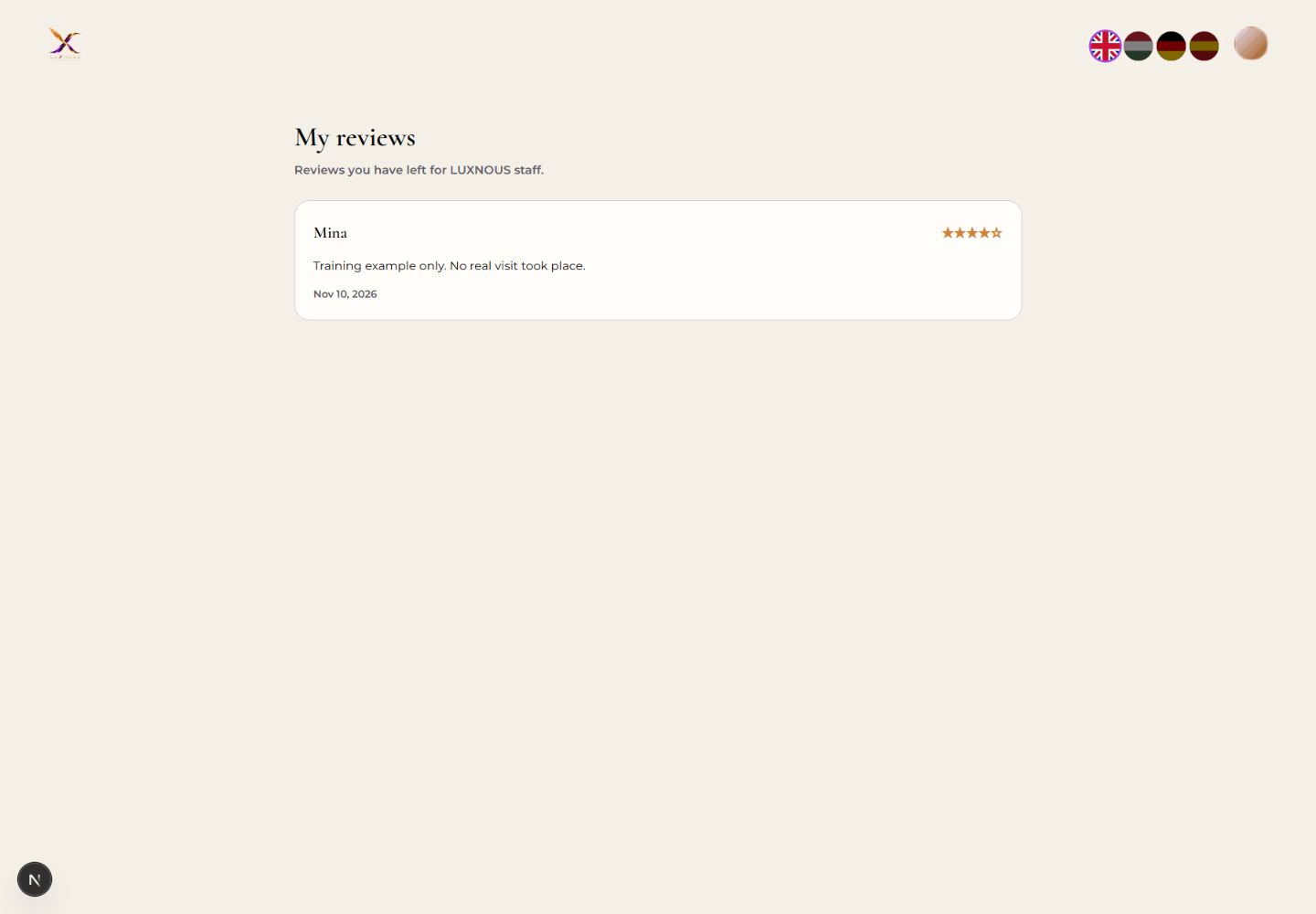
Open My reviews in the customer navigation. Check the professional, stars and comment in your saved review. You can revisit this page later.
Common questions about reviews
Do I need an online booking to leave a review?
The normal professional-page form requires a signed-in customer and an active salon and professional, but does not require an online appointment. A review linked through a completed-visit invitation is checked against that customer’s own visit. Do not treat every review as a verified booking.
Does this publish a Google review?
No. It creates an internal LUXNOUS staff review. Google reviews use a separate system and rating.
Is my comment private?
No. Your review and comment can appear on public salon and professional pages. My reviews lets you find your own submissions. Avoid passwords, payment details or sensitive personal information in your comment.
Do I have to write a comment?
No. A rating from one to five is required; a comment is optional and may contain up to 2,000 characters.
Why can I not submit?
Choose a rating and make sure you are signed in. If your session expired, sign in again. If you are asked to wait after too many submissions, wait before retrying. For an invalid visit-specific invitation, use the matching customer account or contact the salon.